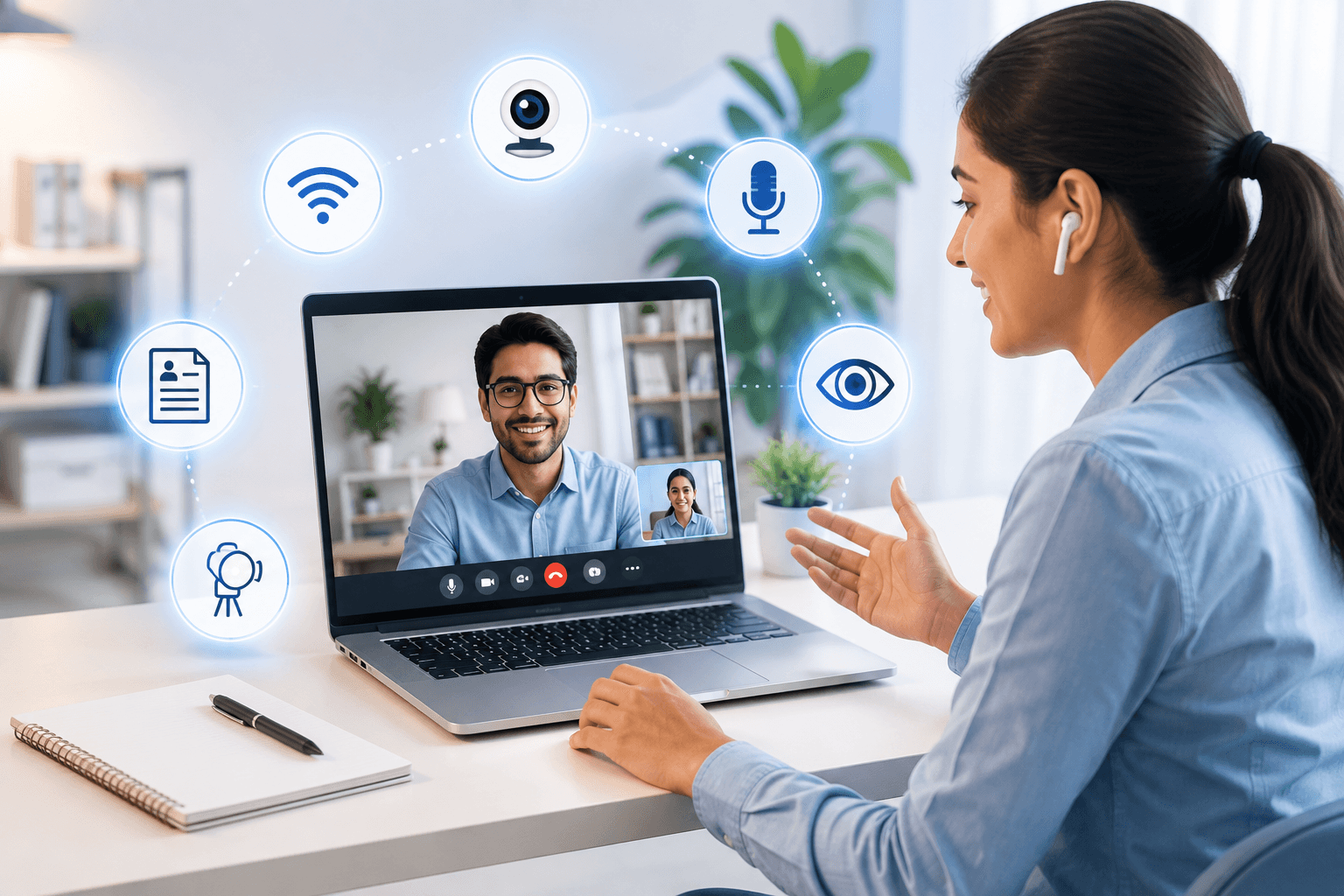
Virtual Interviews: 15 Simple Tips That Can Make You Stand Out
Video interviews have their own rules. 15 simple fixes — lighting, framing, tech checks, and on-camera presence — that make recruiters remember you.
Virtual Interviews: 15 Simple Tips That Can Make You Stand Out
By Curious Career Editorial Team • 7 min read
You log into the video meeting five minutes early.
Your camera is off. Your microphone isn't working. You scramble to fix the settings as the seconds tick down.
The interviewer sits waiting...
You've just answered your very first interview question---without saying a single word.
Virtual interviews aren't simply standard face-to-face meetings conducted online; they require an entirely different layer of strategic preparation. Your communication style, tech setup, ambient environment, and non-verbal cues are all being evaluated the second your video feed connects.
The good news? Most candidates overlook these exact details. That gives you an immediate opportunity to stand out from the competition.
Why Virtual Interviews Demand a Different Strategy
In a physical conference room, your dynamic energy and physical presence naturally fill the room. Online, your entire professional persona is filtered through a 1080p rectangle.
Recruiters are subconsciously making split-second evaluations based on:
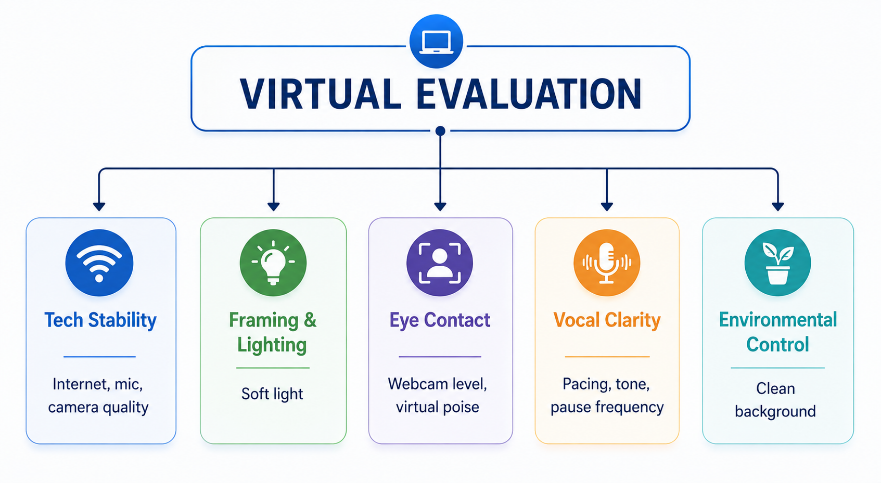
Every minor friction point---lag, bad lighting, background noise---erodes your rapport. Control the variable tech details, and your true capability shines through.
15 Essential Rules to Ace Your Next Virtual Interview
1. Join 10 Minutes Early (The Tech Buffer)
Don't wait until the scheduled minute to click the meeting link. Log in early to test your audio drivers, camera feed, and internet latency. Being early protects you from surprise system updates and shows immaculate professionalism.
2. Test Your Hardware Beforehand
Nothing destroys your initial momentum faster than starting with "Can you hear me?" Run a test recording on Zoom, Teams, or Google Meet beforehand. Always keep a wired headset nearby as a backup for Bluetooth dropouts.
3. Maintain a Clean, Distraction-Free Background
Your background should complement you, not compete with you. Keep it simple, tidy, and professional. If your room is chaotic, use a subtle, professional background blur---avoid flashy virtual backgrounds that warp around your head.
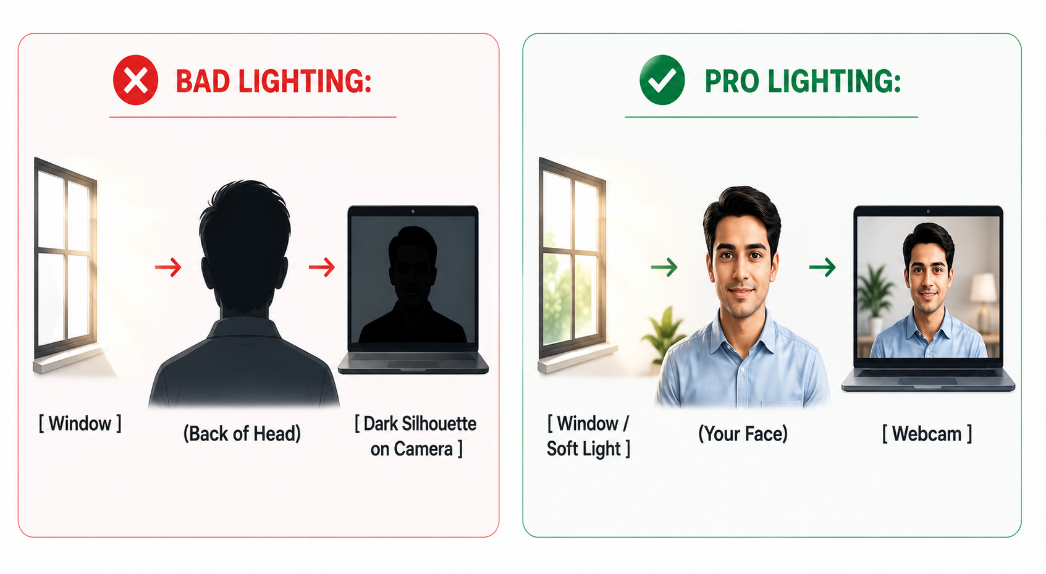
4. Face the Primary Light Source
Lighting makes or breaks camera quality. Sit facing a window or place a soft light source directly behind your monitor. Never sit with a bright window behind you, or you'll appear as a dark silhouette.
5. Elevate Your Camera to Eye Level
Looking down at a laptop screen forces an awkward angle and makes you look slouched. Elevate your laptop using a stand or a stack of books so the camera aligns straight with your eye line.
6. Look at the Lens, Not the Screen
It's natural to look at the interviewer's face on your screen, but to them, it looks like you're looking down. When delivering key points or introductions, glance directly into the camera lens to create the illusion of direct eye contact.
7. Dress Fully Professional (Top to Bottom)
Even if you are interviewing from your living room, wear complete business attire. Dressing professionally from head to toe shifts your internal mindset, posture, and speech patterns into high performance.
8. Silence Every Screen Notification
Close WhatsApp Web, quit Slack, disable desktop pop-ups, and put your phone on silent (and out of sight). A single ping or banner notification can break your train of thought at a critical moment.
9. Use Sticky Notes, But Never Read Scripts
Having key metrics, your resume, or target company notes pinned near your webcam is fine. However, never read pre-written paragraphs verbatim. Recruiters instantly catch robotic delivery and shifting eyes.
10. Deliberately Pace Your Delivery
Digital audio can compress or lag over standard connections. Speak slightly slower than your normal conversational speed and insert deliberate 1-second pauses after key points to ensure total clarity.
11. Keep Your Gestures "In the Frame"
Physical hand gestures convey enthusiasm and openness, but if your hands stay below the desk line, you lose that visual warmth. Position your framing slightly wider (chest-up) so natural gestures remain visible.
12. Eliminate Ambient Noise
Inform housemates or family members of your interview block in advance. Turn off fans or noisy appliances, and close windows to block street noise.
13. Keep Water Within Arm's Reach
Nervousness causes dry mouth, which leads to clearing your throat or vocal strain. A simple glass of water acts as both a physical quick-fix and a tactical pause button if you need five seconds to gather your thoughts.
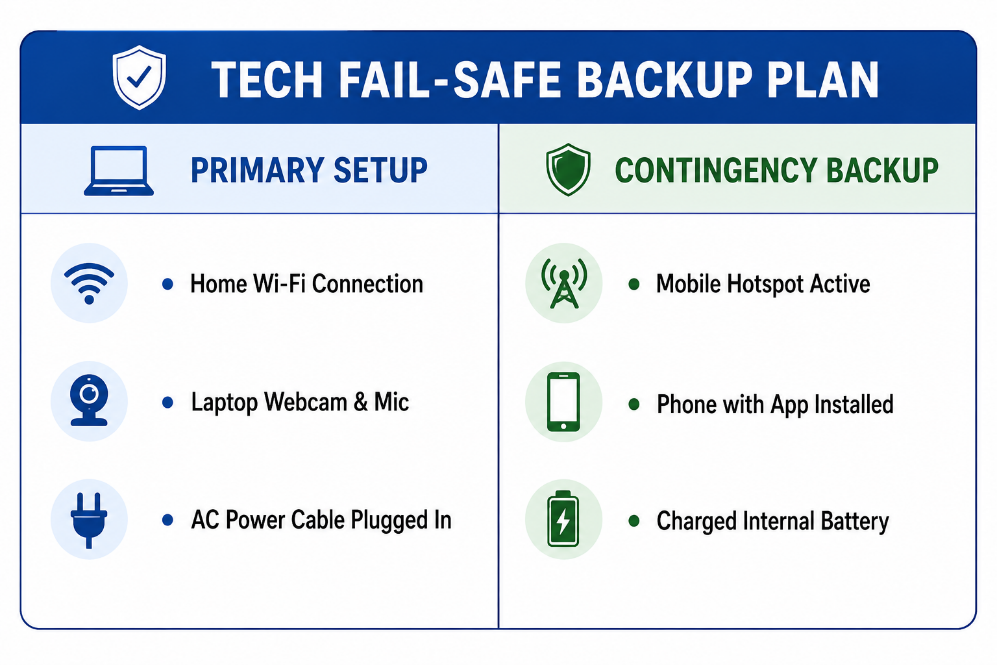
14. Have a Fail-Safe Tech Contingency
Tech will fail eventually---how you handle it reveals your composure under pressure. Keep a mobile hotspot ready, ensure your laptop battery is full, and install the mobile version of the video platform on your phone as a backup.
15. Execute a Confident Exit
Don't awkwardly fumble for the "Leave Meeting" button while staying silent. Deliver a crisp closing statement: smile, thank the interviewer by name, express your excitement for the role, and then exit smoothly.
The Ultimate Pre-Call Flight Checklist
Run through this 60-second audit before joining the lobby:
-
Camera Check: Is your lens clean and positioned at eye level?
-
Lighting Check: Is your primary light source illuminating your face directly?
-
Audio Check: Have you tested your microphone and put wired headphones on standby?
-
Environment Check: Is the background clutter-free and ambient noise silenced?
-
Tech Check: Are notifications muted, desktop tabs closed, and hotspot ready?
-
Content Check: Is your resume nearby and company research top of mind?
What Recruiters Actually Remember
When hiring managers debrief after a full day of virtual interviews, technical responses blur together. What stands out is execution.
They remember:
-
The candidate who remained completely calm when their audio glitched.
-
The candidate who maintained direct, engaging camera contact.
-
The candidate whose setup looked polished and well-prepared.
-
The candidate who made a screen-to-screen conversation feel effortless.
Professionalism creates confidence. Confidence creates trust. Trust lands job offers.
Ready to Master Your On-Camera Performance?
Knowing virtual interview etiquette in theory is easy. Delivering a flawless, high-energy performance on camera takes real rehearsal.
With Curious Career's AI Virtual Interview Coach, you can practice real-time mock interviews on camera, receive instant feedback on your eye contact, vocal pacing, filler words, and body language, and fine-tune your delivery before your actual interview.
Practice Your Virtual Delivery with Curious Career Today and make every digital impression count.